The audit universe sits in a spreadsheet, the annual plan in another file, reviews run by email and the report to the audit committee is assembled separately from whatever can still be found. Each part works on its own, but nothing connects. Audirium's Audit Suite puts the entire audit cycle in one environment: from the audit universe to the follow-up of findings, with every step visible to whoever is next in line.
In brief
What the Audit Suite is, in three numbers.
The Audit Suite is the workplace for the internal audit function: the audit universe, the annual plan, the file review, the follow-up of findings, the analysis of its own quality and time recording all live in the same environment, on the same data. Nothing recorded in one step is retyped in the next.
What sits on the IA manager's desk today
Six steps, and a different file for each one.
The annual plan is manual work
Audit universe, risk weighting and capacity sit in separate spreadsheets. A well-founded annual plan therefore costs fresh arithmetic every year, and nobody can see at a glance whether the team can handle the plan.
Progress lives in nobody's overview
Who is working on what, how many hours have already gone in and which audit is behind schedule is scattered across status emails and separate planning files.
Review runs by email
Review comments, approvals and changes arrive as separate messages. Anyone returning to a file two weeks later has to work through the whole email thread again to see what is still open.
The final report is assembled by hand
Findings, opinions and figures from separate files are cut and pasted into one document for the audit committee, with the risk that a late change to a figure is not updated everywhere.
A finding comes loose from the action that follows
A finding from the audit report becomes an action item in another system or file, with no link back. Whether something has been followed up then becomes a matter of asking around.
Capacity is an educated guess
How many hours the team really spends on audits versus meetings, training and leave, and whether that fits the annual plan, is rarely worked out on hard numbers.
One audit, from universe to follow-up
An example: a payment process that enters the annual plan via the audit universe, gets a file, produces a finding and ends as an action with an owner and a deadline.
The gain is not in any one of these steps but in the transitions between them. An audit in the annual plan does not need re-entering to get a file. A finding that arises in the file does not need retyping to become an action. What is recorded in one step is immediately the basis for the next.
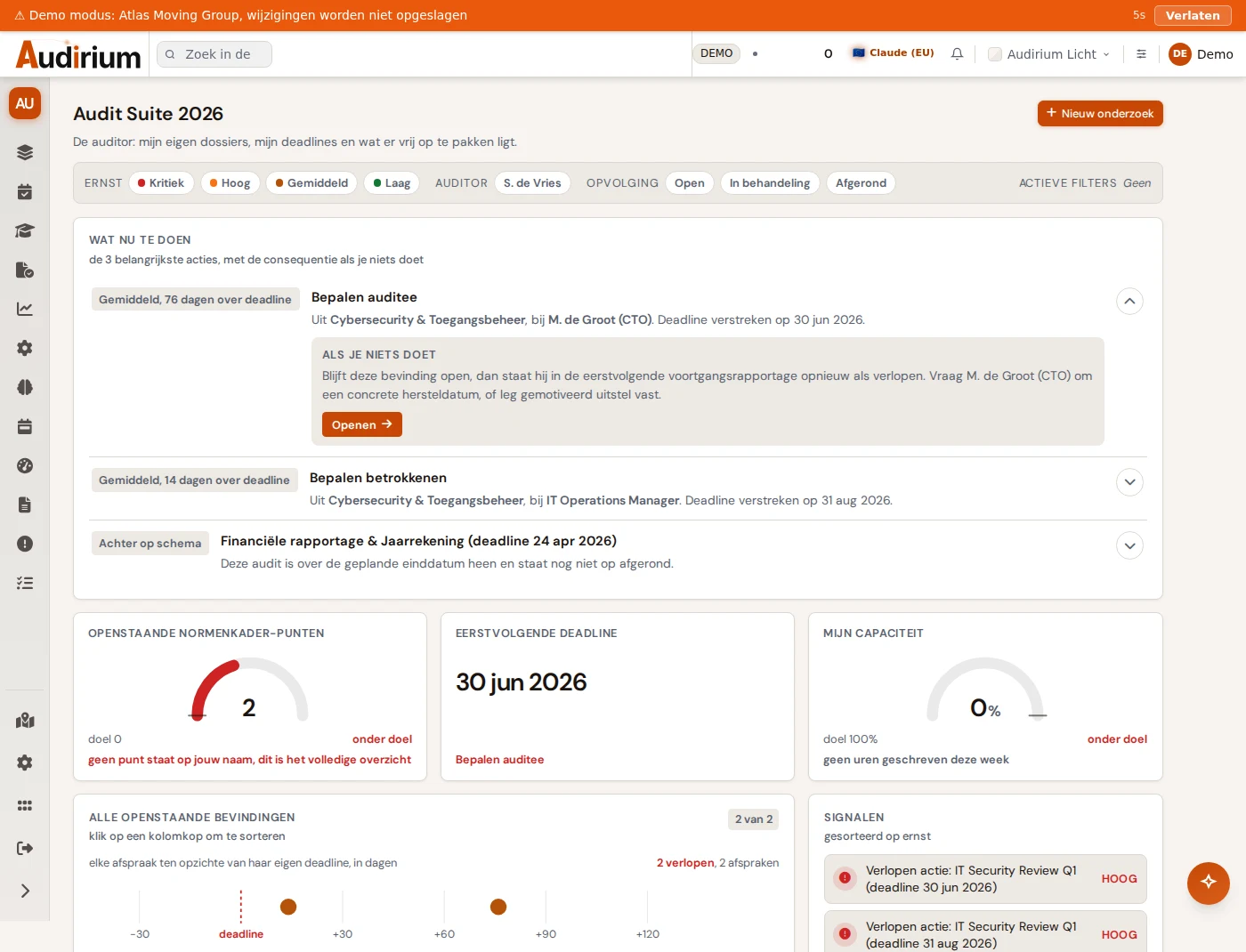
The six steps
Each step is its own module with its own question. Together they carry the entire audit cycle.
| Step | What it delivers | Who works with it |
|---|---|---|
| Audit Universethe catalogue | All auditable subjects with risk score and audit frequency, with a ten-year plan per subject. | ia_manager, auditor |
| Audit Annual Planoperational heart | Concrete audits with timeline, owner and hours, approved by the audit committee. | ia_manager, auditor, directie_ac (reads along) |
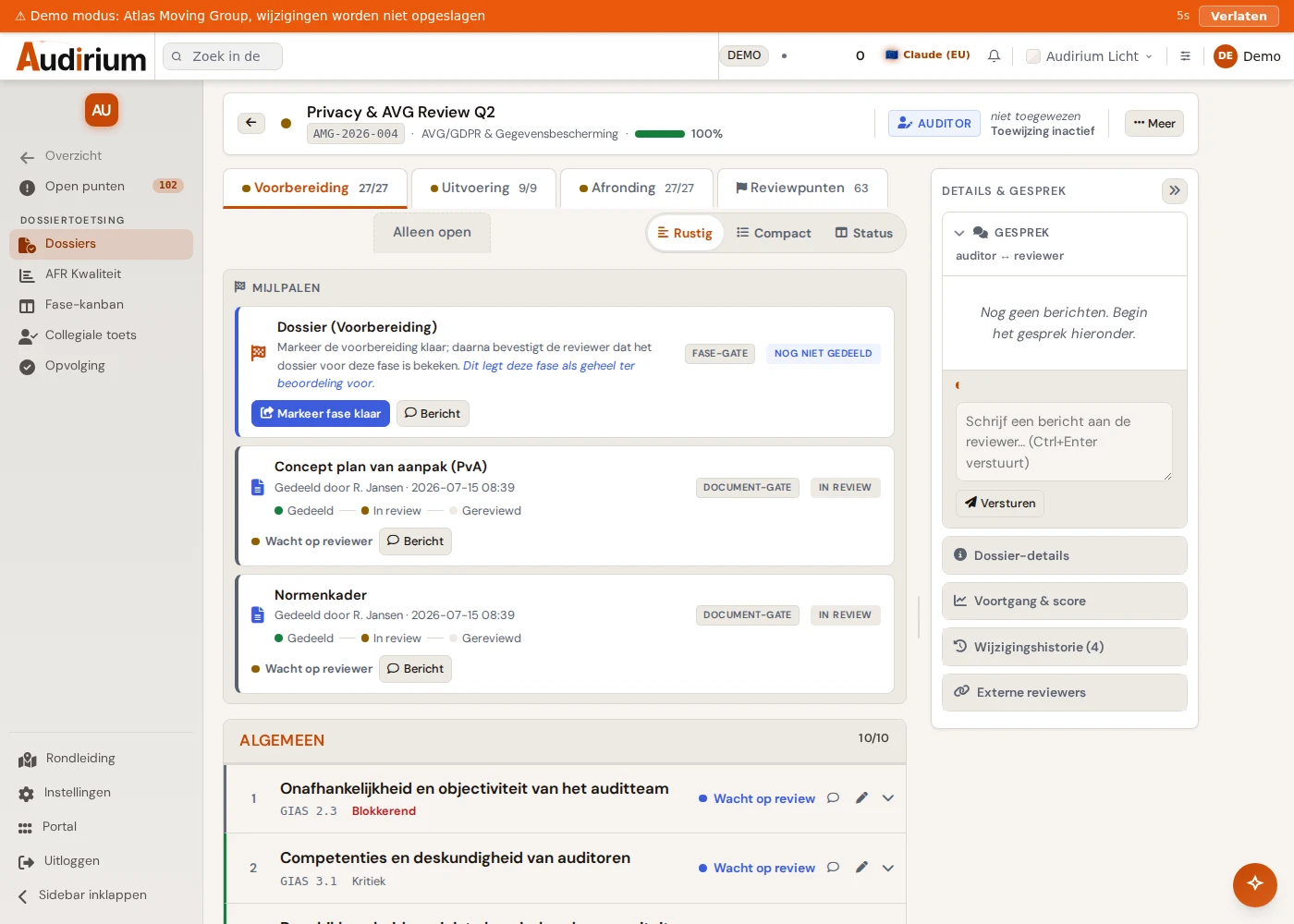
| Audit File Reviewthe file | The checklist per phase, document gates between auditor and reviewer, and a turn indicator that always says whose move it is. | auditor, reviewer |
| Action Follow-upafter the audit | Findings as actions in Action Tracking, with owner, target date and verification, read back into the file. | action_owner, ia_manager |
| Analysisown quality | IAF Scorecard and lead-time analysis for the performance of the audit function as a whole, plus quality assurance (QAIP). | ia_manager, directie_ac |
| Time Recordingthe accounting | Hours per audit, approval by the manager and an hours overview that feeds capacity planning. | auditor, ia_manager |
| Across all stepsthis is where it connects | Segregation of duties, AI on your own file data, notifications and reminders, links with Action Tracking and CRAFT. | everyone, each with their own permissions |
What each role gets out of it
Five roles, five different questions put to the same data.
The whole picture, with steering
The dashboard shows at a glance where the team stands: coverage of the universe, target meters against the norm, and three actions with the consequence if nothing happens. The capacity calculation shows whether the annual plan fits within the available hours.
One workplace for the entire engagement
From the assigned audit in the annual plan to the file with its checklist, through the information request to the auditee, to the findings, without switching to another file.
See exactly what is waiting
The status view with the columns Waiting for me, Waiting for other and Approved, plus a walkthrough with shortcuts for approve, reject or question, take the searching out of reviewing.
Headlines, without opening the files
A compact sidebar of its own: the AC dashboard, the meeting schedule and the annual report, with an adopted report that no longer changes once adopted.
Only their own actions, no suite noise
Whoever has to resolve a finding lands in Action Tracking and does not see the rest of the suite. The shielding is not just in the menu: the server refuses the audit APIs for this role.
How it works in practice
From universe to reporting, in six steps.
Record the universe and frequency
Map the auditable subjects and set the desired frequency for each one. The system calculates the next audit year itself.
Draw up the annual plan and have it approved
Select subjects from the universe, fill in period and hours and submit the plan to the audit committee.
Start the file and work through the checklist
You start the file from the audit in the annual plan. The auditor works through the checklist per phase and shares documents via document gates.
Review and feed back
The reviewer assesses each check with a fixed choice and a mandatory comment on any deviation, and approves the file or sends it back.
Push findings through to action follow-up
Anything that fails becomes an action in Action Tracking with one click, with an owner and a target date. No two copies of the same finding ever exist.
Report and adopt
AI proposes a management summary based on the findings; you assess and approve. On adoption the report freezes, so a March figure does not quietly drift along with September.
Practical
The questions that usually come second.
- Built and hosted in the European Union. Data encrypted and strictly separated per organisation; no American cloud.
- No implementation project. Start with the universe and build up the suite as the annual plan grows.
- AI where it helps, not as a label. Eight buttons on your own file data: a question about a source document, a file review with one observation per item, a draft summary for the report. Always a proposal; the judgement stays with the auditor.
- Segregation of duties is not a setting but a boundary. A reviewer cannot edit auditor fields without a logged, explained correction; whoever may only approve cannot manage a file themselves.
- Connected to the rest of the suite. Findings to Action Tracking, audits to CRAFT for the substantive execution, checklist items from the GIAS library.
Where it stands now. The audit app is running, with audit functions looking in and thinking along. Universe, annual plan and file review have been in use the longest and are the furthest developed; the link with Action Tracking for action follow-up is more recent.
That is exactly why the view of internal auditors themselves is useful: whatever an IA manager, auditor or reviewer still misses today is cheapest to add right now.